
Affiliate disclosure: We may earn a commission if you buy through links on this page. That does not change what you pay or how we rate the product.
The TOPDON Phoenix Plus 2 is best judged by one question: can its combination of ECU coding and bidirectional control earn a place in a working independent garage, or is it an expensive scan tool whose advanced features will sit unused? At $979.99, it is clearly aimed above basic code readers. The listing shows 4.4 stars from 531 ratings, a meaningful sample, but popularity alone does not tell a technician whether the coverage matches the vehicles on the schedule. We focus here on workflow fit, the distinction between reading data and commanding systems, and the ownership checks that matter before spending close to a thousand dollars.
Quick verdict
Score: 8.2/10 — Advanced diagnostics for a serious independent shop
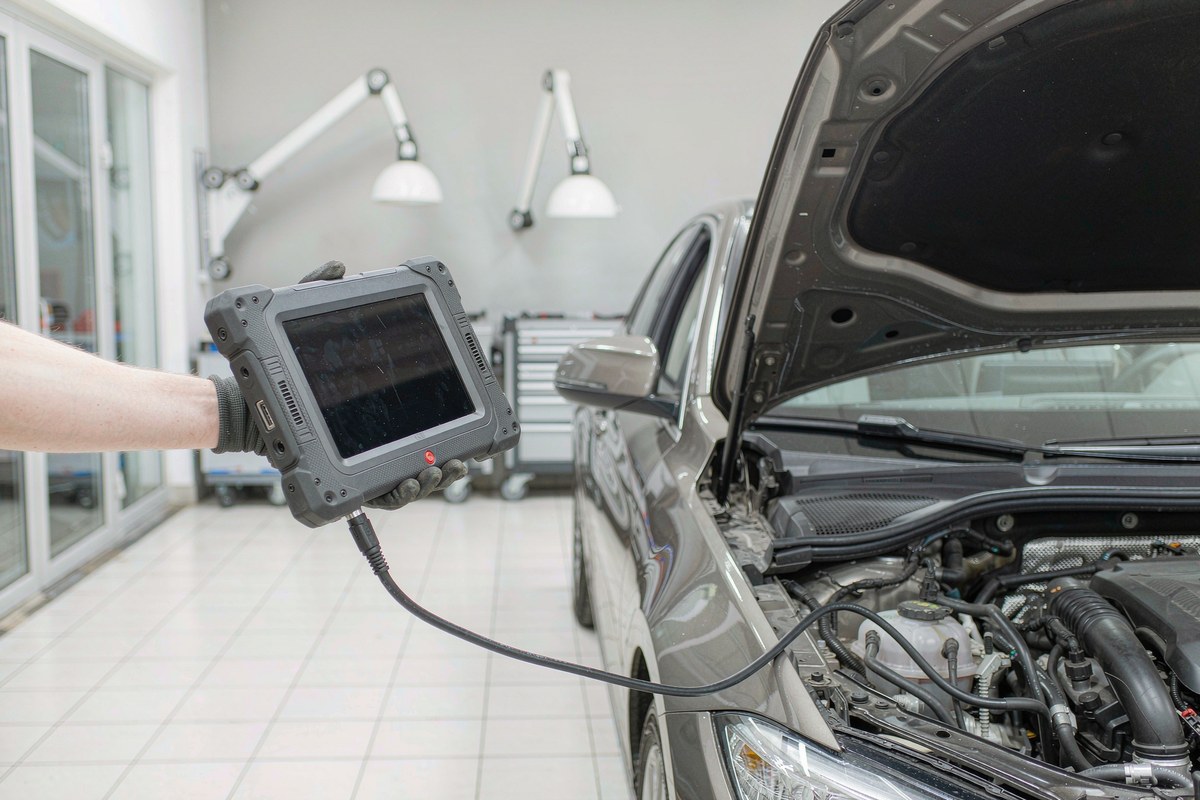
ECU coding and bidirectional control give the Phoenix Plus 2 a stronger case than a tool that only retrieves and clears trouble codes. Those capabilities can make diagnosis more interactive, while a dedicated scan-tool form factor keeps it focused on automotive work rather than general computing.
The caveat is vehicle coverage. Advanced functions vary by make, model, year, and system, so a buyer should verify the exact vehicles they service before treating “bidirectional” or “coding” as universal. The $979.99 price is defensible only if those functions solve recurring jobs.
Key specs
| Product | TOPDON Phoenix Plus 2 Scan Tool |
| Category | Automotive > Code Readers & Scan Tools |
| Diagnostic functions | ECU coding and bidirectional control |
| Price | $979.99 |
| Listing rating | 4.4 stars |
| Rating count | 531 ratings |
| Brand | TOPDON |
| Best-fit buyer | Independent automotive technician with compatible vehicles |
What we like
- It goes beyond basic code retrieval. ECU coding and bidirectional control point to active diagnostic workflows, not just reading a warning and erasing it.
- The product has a substantial listing sample. A 4.4-star average from 531 ratings provides more buyer context than a listing with only a handful of opinions, while still not replacing fitment checks.
- The purpose is clear. A dedicated scan tool is easier to position in a service bay than a generic tablet paired with uncertain adapters and software.
- The price is in the professional-tool conversation. It costs enough that a technician can evaluate it against jobs billed and time saved, rather than shopping by the lowest entry price alone.
What we do not like
- “Bidirectional” does not mean every command is available on every vehicle. Coverage details must be checked against the shop’s actual customer mix.
- ECU coding is consequential work. A buyer should understand the operation, follow the vehicle procedure, and confirm the tool supports the intended module before making changes.
- At $979.99, occasional home use is difficult to justify if a simpler reader already handles the buyer’s needs.
- Ownership also depends on software access and update terms. The supplied listing facts do not establish a specific update duration or renewal cost, so confirm those terms before purchase.
How it compares
A basic OBD-II reader is the practical choice for a driver who wants to see why a check-engine light is on. It costs less and has a narrower job. The Phoenix Plus 2 is aimed at people who need to inspect more systems and potentially issue supported commands, but that added depth only matters when the particular vehicle and procedure are covered.
At the other end, dealer-level diagnostic equipment may offer a closer match to one manufacturer’s service environment, often with different access requirements and costs. A multi-brand tool like this sits between those poles. The buyer should compare supported functions for common makes, not just the number of menu categories or the presence of a coding label.
| Tool type | Price | Key spec | Who it suits |
| TOPDON Phoenix Plus 2 | $979.99 | ECU coding and bidirectional control | Independent shops with compatible recurring diagnostic work |
| Basic code reader | Varies | Reads and clears common diagnostic codes | Owners checking routine warning lights |
| Single-brand factory tool | Varies | Manufacturer-specific service workflow | Shops focused on one vehicle marque |
Our review of the Tolkwolk G16-2 illustrates why a device’s primary workflow matters more than its screen or spec sheet. For the Phoenix Plus 2, the deciding workflow is vehicle diagnosis and supported service actions.
Hands-on: choosing coverage over feature labels
For a professional scan tool, the first hands-on step is not plugging into the nearest car. It is building a short list of the shop’s most common makes, model years, and repair tasks. Then check those exact combinations against the tool’s supported diagnostics and special functions. A broad feature label can describe a capability without guaranteeing it exists for every module in a particular vehicle.
Bidirectional control changes the diagnostic conversation. Instead of only observing a value or reading a fault, a technician may be able to request a supported action and watch how the system responds. That is valuable when it helps isolate a component or confirm a repair. It is not a license to send commands speculatively: a scan tool must be used with the service procedure and safety conditions for that vehicle.
ECU coding deserves an even more deliberate approach. Coding can affect vehicle configuration, and a wrong setting can create new faults or change expected behavior. Before an operation, identify the module, record the original state when appropriate, confirm stable vehicle power, and avoid interrupting the process. Those are workflow disciplines rather than claims about a particular feature in this unit.
The Phoenix Plus 2’s $979.99 price makes economic sense when the shop can point to repeated work that needs its capabilities. A single avoided diagnostic delay may matter, but we would not base a purchase on one hypothetical job. Look at the vehicles already in the bay, the tasks currently sent elsewhere, and whether the required functions are confirmed for those exact applications.
| Before purchase | Question to resolve |
| Vehicle mix | Are the shop’s common makes, years, and modules supported? |
| Service operations | Are the needed bidirectional tests or coding procedures available? |
| Software terms | What updates are included, and what happens after that period? |
| Shop workflow | Who will use it, and where will it be stored and charged? |
For home mechanics, the same feature list can be tempting, but the value calculation is different. If most use consists of reading a check-engine code, a less expensive reader leaves more budget for maintenance. If you routinely work on multiple vehicles and need system access beyond engine codes, the Phoenix Plus 2 moves into consideration, provided the coverage matches your garage.
Comparing tools across product categories can be misleading. A home entertainment product is judged on a different kind of setup than a diagnostic tablet; the useful common question is whether a purchase serves a repeated task. In a shop, time and vehicle compatibility carry more weight than novelty.
The 4.4-star rating from 531 ratings is a substantial amount of marketplace feedback, but it is not a substitute for checking your own use case. Reviews may cover different vehicle families, update periods, and expectations. Verify the current coverage documentation and software terms before ordering, and keep the seller’s return terms in view while confirming fit.
Our other product reviews cover unrelated equipment, yet the same discipline applies: the most valuable specification is the one that solves the buyer’s real recurring need. For scan tools, that is an exact operation on an exact vehicle, not the most impressive phrase on a box.
For more product coverage, the reviews hub collects our broader buying guides and reviews. Here, the short version remains simple: price the Phoenix Plus 2 against supported jobs, not against an abstract promise of professional capability.
Who should buy it
Buy it if you work on multiple vehicles, can verify that ECU coding and bidirectional functions cover your frequent applications, and expect those capabilities to be used regularly. An independent shop that can connect features to billable diagnostic work is the strongest fit for the $979.99 price.
Skip it if you only need to clear common engine codes, rarely service vehicles, or cannot confirm supported functions for your customer base. A more basic reader or a brand-specific tool may be better value depending on the work you do.
FAQ
What does bidirectional control mean on a scan tool?
It refers to supported commands that let the technician request an action from a vehicle system rather than only read stored data. Availability varies by vehicle, module, and function, so confirm coverage for the exact application.
Can the Phoenix Plus 2 code every vehicle?
No universal coverage claim follows from the product name. ECU coding support depends on the vehicle and module, so check the manufacturer’s current compatibility information before purchase or before starting a coding procedure.
Is this scan tool suitable for a home mechanic?
It can be, especially for someone who works on several compatible vehicles and needs advanced diagnostics. For occasional trouble-code checks, a basic reader is usually a more proportionate purchase.
What should a shop verify before buying?
Match the tool’s supported functions to common makes, model years, and service jobs, then confirm software update terms. Also consider who will use it and whether the shop has a stable process for coding and command-based tests.
Where to buy
Update log
October 22, 2026 — Published with current listing price, rating, review count, and product positioning.

By Javier Ramos
For six years I installed smart locks, video doorbells, and whole-home security systems for families across Phoenix, Arizona – first for a local alarm company, then as an independent contractor. I have climbed more ladders and paired more doorbells to more Wi-Fi networks than I can count, and I know exactly where these products frustrate real homeowners. Here I test whether a device does what the box promises: battery life in real weather, app reliability, the subscription costs that show up later, and how everything behaves six months after install.