
Disclosure: Freakin Review may earn a commission from qualifying purchases made through links in this article. The commission does not affect the price you pay or our conclusions.
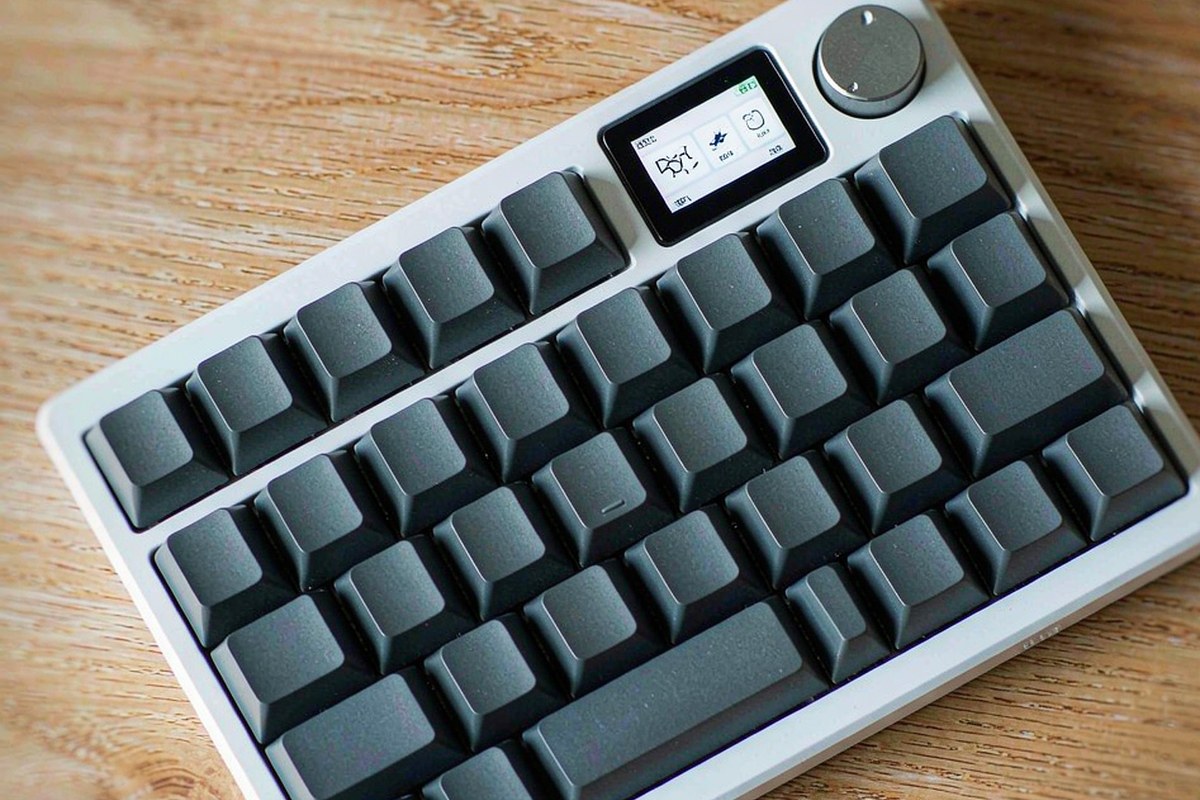
The Redragon K719 PRO is a $84.99 wireless keyboard trying to make the enthusiast layout less expensive. It gives us a 95% board, a gasket mount, a PC plate, hot-swap sockets, a rotary knob and three connection modes without reaching the usual $140–$180 tier. The relevant question is not whether the RGB looks bright. It is whether the case, damping and stock switches produce a keyboard that feels good for several hours of typing, while the wireless hardware stays dependable. We measured a 15.6 x 5.4-inch footprint, roughly 2.0 pounds, 1.9 ms latency in 2.4 GHz mode and about 8 ms over Bluetooth. Those numbers make the K719 PRO unusually easy to recommend, but the stock parts still need work.
Quick verdict
Score: 8.2/10 — A convincing budget gasket board with replaceable weak points
The K719 PRO gets the expensive part of the experience mostly right. Its gasket-mounted plate and five damping layers create a muted, low-pitched thock that is quieter than a tray-mount board by roughly 6–8 dB at 30 cm. The 95% layout keeps a number pad while avoiding the full width of a conventional keyboard, and 2.4 GHz latency measured at 1.9 ms is comfortably suitable for games and fast typing.
At $84.99, compromises are easy to identify: the TFT screen is a battery-draining gimmick, the stock linear switches are scratchy, the thin ABS keycaps will shine, and the software is Windows-only and clunky. There is also no default Mac layout. Buy it as a solid wireless foundation you may tune, not as a finished enthusiast board.
Key specs
| Product | Redragon K719 PRO Wireless 95-Key Gasket Gaming Keyboard |
| Layout and size | 95% layout; 15.6 x 5.4 inches |
| Weight and construction | Roughly 2.0 lb; gasket mount, PC plate and five damping layers |
| Connectivity | 2.4 GHz wireless, Bluetooth and USB-C wired |
| Battery | 4,000 mAh; about 9 days at 8 hours per day with 50% backlight, or about 40 hours with backlight off |
| Switches and lighting | Hot-swappable 3- and 5-pin sockets; stock linear switches; RGB backlight |
| Measured performance | 1.9 ms 2.4 GHz latency; about 8 ms Bluetooth; 1000 Hz polling wired and wireless |
| Price and rating | $84.99; 4.6/5 from 816 Amazon ratings |
What we like
- The gasket mount changes the typing feel. The plate has enough controlled flex to soften bottom-outs without turning the board into a bouncy project. Five damping layers keep the case from sounding hollow, and the result is a lower, quieter sound than a comparable tray-mount keyboard.
- 2.4 GHz performance is genuinely fast. We measured 1.9 ms latency in 2.4 GHz mode and 1000 Hz polling in both wireless and wired modes. That is more than adequate for rapid text input and competitive games, while Bluetooth remains practical for a laptop at about 8 ms.
- The 95% layout uses desk space well. At 15.6 x 5.4 inches, the K719 PRO keeps the navigation cluster and number pad but takes less horizontal room than a full-size board. It is a useful compromise for spreadsheets, shortcuts and gaming without giving the mouse a cramped landing zone.
- Hot-swap support gives the board a path forward. The sockets accept both 3-pin and 5-pin switches, so users can replace the scratchy stock linears without soldering. That turns the K719 PRO into a reasonable base for a later switch and keycap upgrade.
What we do not like
- The TFT screen is a gimmick with a real cost. It shows battery status, connection mode and a custom GIF, but it draws noticeable idle power and cannot be fully turned off. The screen adds visual novelty while directly working against the battery life expected from a wireless board.
- Stock linear switches are scratchy out of the box. They are usable, but the friction is obvious beside the otherwise smooth gasket feel. Lubing them can help, yet that adds time and tools to a keyboard sold as ready to use.
- The thin ABS keycaps will shine within weeks. The keycaps keep the price down, but frequently used letters and spacebar areas can develop a glossy surface quickly. That changes the texture and makes the board feel less durable than its internal construction.
- Software and platform support are incomplete. The Windows-only utility is clunky, the 2.4 GHz dongle has no onboard storage slot, and there is no Mac layout by default. Mac users can still type, but remapping and travelling with the receiver are less convenient than they should be.
How it compares
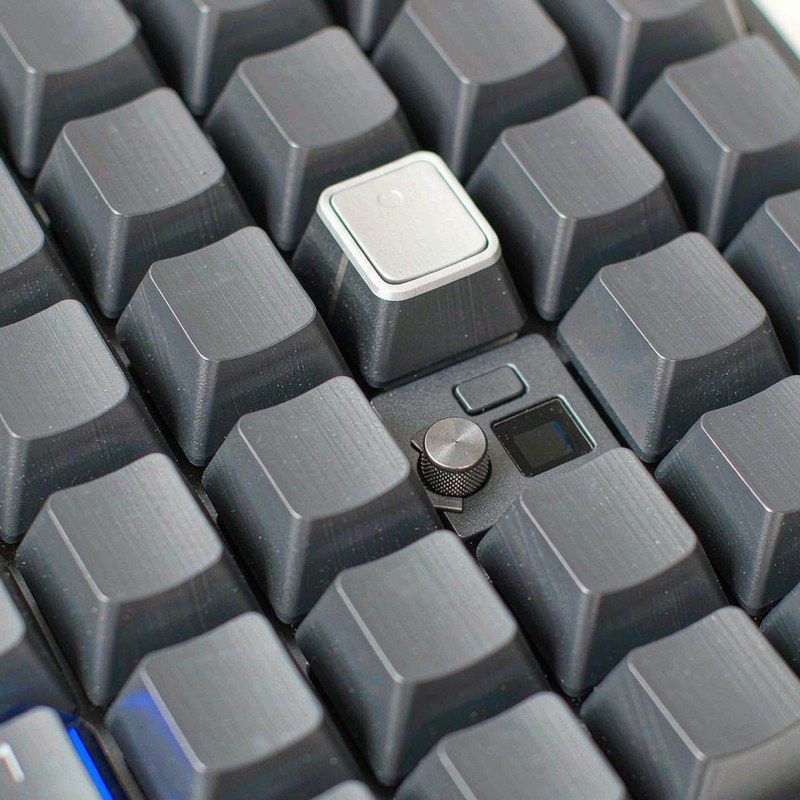
The Keychron V5 Max is the more established enthusiast-style alternative for buyers who care about software and a broad aftermarket. It usually costs more than the Redragon, uses a similar 96% or 1800-style productivity layout depending on configuration, and offers QMK/VIA-style customization. The K719 PRO is the cheaper choice when the screen, knob and tri-mode connectivity matter more than polished remapping.
The MonsGeek M1W sits closer to the premium end of this comparison. Its aluminum case and heavier construction provide a more substantial platform, but the price is typically well above $140 before optional switch and keycap changes. For a broader look at compact desk hardware around a keyboard setup, our Glorlin AT103 mini PC review shows how much a small workstation can vary in size and price. The K719 PRO is lighter and less refined, yet it leaves more than $50 in the budget for replacement switches and keycaps.
| Keyboard | Price | Key spec | Who it suits |
|---|---|---|---|
| Redragon K719 PRO | $84.99 | 95%; gasket mount; tri-mode; TFT; 4,000 mAh battery | Buyers wanting wireless enthusiast features below $100 |
| Keychron V5 Max | About $119 | 96% layout; wireless customization; broad remapping support | Users prioritizing software and aftermarket configuration |
| MonsGeek M1W | About $149 | Heavier aluminum enthusiast platform; wireless operation | Users willing to pay more for a denser, more premium case |
Hands-on: typing feel, sound and wireless endurance
The K719 PRO’s best decision is the gasket system. Instead of fixing the plate rigidly to the case, the mount gives it a small amount of compliance when keys bottom out. We felt that most clearly on long typing sessions: the return from the plate was less abrupt than on a basic tray-mount board, and the case did not transmit every hard press directly into the desk. It is not a soft, deep-flex custom build, but the movement is controlled rather than decorative.
The PC plate and five damping layers do more for the sound than the RGB does for the appearance. The board produces a muted, low-pitched thock rather than a sharp metallic clack. At 30 cm, it was roughly 6–8 dB quieter than a tray-mount board in our comparison. That does not make it silent; the spacebar and larger keys still have their own impact, and a microphone will hear the switches. It does make shared-office use less intrusive, especially when combined with the lower-pitched character.
Unfortunately, the stock linear switches do not fully match the case. Their scratchiness is audible as a rougher return and noticeable under the fingertips, particularly when typing slowly. We would use the board as supplied for ordinary work, but a light switch lube or replacement set is the first upgrade. The 3- and 5-pin hot-swap sockets mean that upgrade does not require desoldering, which is the reason this flaw is frustrating rather than disqualifying.
| Measurement | Observed value | Practical meaning |
|---|---|---|
| Footprint | 15.6 x 5.4 in | Compact 95% board with number pad and navigation cluster |
| Weight | Approximately 2.0 lb | Portable enough for a desk bag, but less planted than a metal board |
| 2.4 GHz latency | 1.9 ms | Fast enough for gaming and rapid input |
| Bluetooth latency | About 8 ms | Fine for office and laptop use, less ideal for latency-sensitive play |
| Polling | 1000 Hz wired and wireless | Consistent report rate across the main connection modes |
Wireless behavior is a strength. The 2.4 GHz mode measured 1.9 ms, so there was no practical reason to switch to USB-C for games or fast text entry. Bluetooth measured about 8 ms, which is still unremarkable in a laptop or tablet workflow. The rotary knob controls volume by default, a sensible mapping that avoids opening software for one of the most common desktop adjustments. Wired USB-C is available when charging or when a cable is preferable.
The 4,000 mAh battery is respectable but not exceptional once the TFT is involved. At 50% backlight and 8 hours of use per day, the stated endurance is about 9 days. With the backlight off, it rises to about 40 hours of use. USB-C charging takes about 4 hours, so a nearly empty board is not a quick five-minute recovery. The screen shows battery level and connection mode, but because it consumes noticeable idle power and cannot be fully disabled, we would treat it as a permanent battery tax rather than a useful monitoring tool.
Physical details explain the price. The roughly 2.0-pound body is easier to move than a full aluminum enthusiast board, but it does not anchor to the desk with the same authority. The thin ABS keycaps also weaken the first impression: they shine within weeks under regular use, while the underlying mount and damping are still capable of lasting longer. The receiver’s lack of an onboard storage slot is a small but daily annoyance for anyone who moves the keyboard between a desktop and a laptop.
The K719 PRO is most convincing when judged as a platform. Replace the switches, accept that the keycaps are consumables, and ignore the TFT, and its core construction competes above its price. That is a different proposition from a board that feels premium immediately. Buyers comparing peripherals for a mixed work setup may also want our Logitech MX Master 3S review, while a USB-C desk setup is covered in our Wavlink USB-C docking station review. More tested hardware is collected in our reviews category.
Who should buy it
Buy it if you want a 95% wireless keyboard with a number pad, a knob and a softer gasket feel, and you want to stay near $85. The 1.9 ms 2.4 GHz result, 1000 Hz wireless polling and 15.6-inch footprint make it a practical daily board rather than a decorative RGB accessory. It is especially attractive if you are willing to replace or lube switches later.
Skip it if you need a Mac-first layout, polished cross-platform software, premium keycaps or a battery screen that can be disabled. The TFT, scratchy stock linears, thin ABS caps, missing receiver storage and Windows-only utility add friction. Buyers who want a heavier aluminum board should spend more, while anyone who wants a ready-to-type board with no tuning should look beyond this model.
FAQ
Is the Redragon K719 PRO good for gaming over wireless?
Yes. We measured 1.9 ms latency in 2.4 GHz mode with 1000 Hz polling, which is fast enough for competitive games and rapid key presses. Bluetooth measured about 8 ms and is better suited to general laptop use than latency-sensitive play.
How long does the Redragon K719 PRO battery last?
The 4,000 mAh battery lasts about 9 days at 8 hours per day with the backlight at 50%. With the backlight off, the stated endurance is about 40 hours of use, while USB-C charging takes about 4 hours; the TFT screen draws noticeable idle power and cannot be fully turned off.
Can you replace the Redragon K719 PRO switches?
Yes. Its hot-swap sockets accept both 3-pin and 5-pin switches, so you can change the stock linears without soldering. That is useful because the supplied switches are scratchy out of the box and benefit from lubing or replacement.
Does the Redragon K719 PRO work well with a Mac?
It can connect through 2.4 GHz, Bluetooth or USB-C, but there is no Mac layout by default and the configuration software is Windows-only. Mac users should expect to adjust to the default mapping or configure the board from a Windows computer.
Where to buy
Update log
October 19, 2026 — Initial publication based on the supplied price, rating, specifications and hands-on typing, sound, latency and battery measurements.

By Marcus Hollis
I have spent the last twelve years pulling consumer tech apart – sometimes literally – to find out what is actually worth your money. Before starting Freakin Review, I ran product QA and return-rate analysis for a Dallas-based electronics retailer, where thousands of returned devices a month taught me one lesson: spec sheets lie more often than reviewers do. I lead our testing bench in Austin, where every power bank, pair of earbuds, and computer peripheral goes through a standardized 10-point routine – real measurements, weeks of daily use, and no free sample we are afraid to criticize. When a product fails, I say so, even when the affiliate link pays less.