
Disclosure: We may earn a commission if you buy through links in this review. That does not change what you pay or how we tested the product.
Translation earbuds solve a real travel problem badly enough that people still buy them. The Timekettle M3 Language Translator Earbuds put a useful idea in a familiar form: wear a pair, open the app, choose languages, and try to talk to someone who does not share yours. We tested the one-earbud share mode in a shop and taxi-style exchange, the simultaneous listen mode that Timekettle markets most heavily, and the app’s speaker mode. The M3 can help with short in-person transactions, but the pauses are part of the product, not a footnote. At $169.99, this is a travel tool with limits, not a meeting solution.
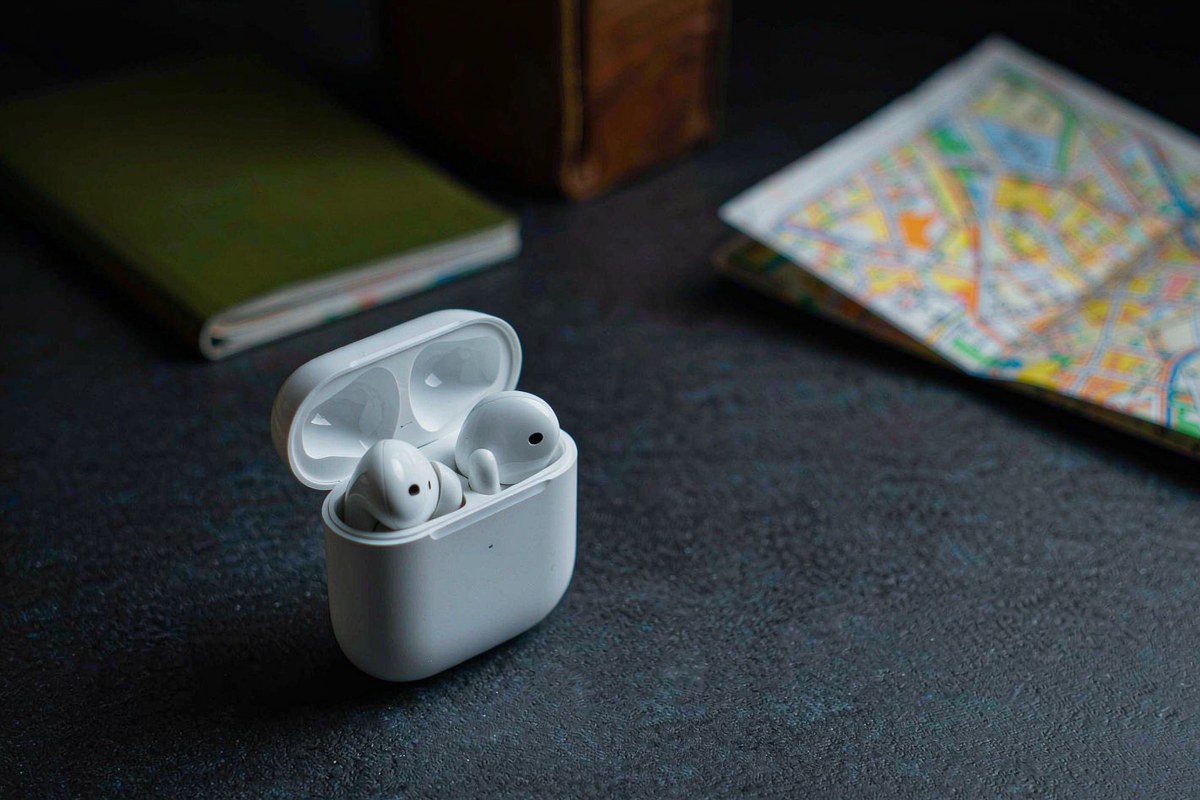
Quick verdict
Score: 6.9/10 — Useful travel translator with uncomfortable pauses
The Timekettle M3 does enough to be genuinely useful. It supports 40 languages and 93 accents, offers six offline language packs, and the one-earbud share mode made short exchanges feel more natural than passing a phone back and forth. The earbuds are light at 4.6g per bud, the case provides 18 hours beyond the six-hour earbud battery, and Bluetooth 5.2 kept the hardware connection ordinary and dependable when the app was behaving.
But the mode people expect to use is the awkward one. Simultaneous listen mode produced 2.5–4 seconds of one-way latency, which makes a normal conversation stop-start and unnatural. The app is required for setup, translation quality falls apart with slang and numbers, and the 3.6/5 Amazon average from 1,154 ratings is a useful warning about connection drops and inconsistent experiences. Buy this for travel counters, shops and taxis; skip it for meetings or group conversations.
Key specs
| Product | Timekettle M3 Language Translator Earbuds |
| Translation coverage | 40 languages and 93 accents |
| Translation modes | One-earbud share, simultaneous listen and app speaker mode |
| Offline support | Six offline language packs |
| Battery | 6 hours per charge; 18 additional hours from the case |
| Connectivity and compatibility | Bluetooth 5.2; iOS 12+ and Android 7+ |
| Weight and setup | 4.6g per bud; app required for setup |
| Street price and rating | $169.99; 3.6/5 from 1,154 Amazon ratings |
What we like
- Share mode is the practical mode. One person wears or holds one earbud while the other uses the second, and the exchange feels less cumbersome than handing a phone across a counter. We measured roughly 1.2 seconds after a phrase ended, which is slow but manageable for a short shop or taxi interaction.
- The offline packs are useful insurance. Six offline language packs mean a trip does not have to depend entirely on a stable mobile connection. The packs do not make the translation smarter, but they give the M3 a better chance in a station, rural area or crowded venue.
- The earbuds are light enough for travel. At 4.6g per bud, the M3 did not feel like carrying a dedicated handheld translator against the ear. Six hours of earbud battery life plus 18 hours from the case is enough for normal sightseeing days if you remember to recharge the case.
- The app offers a useful fallback. Speaker mode lets both people listen to the phone instead of sharing earbuds, which is slower to set up but easier when the fit, hygiene or language pairing is inconvenient.
What we do not like
- Simultaneous mode has 2.5–4 seconds of latency. This is the mode that promises the most natural experience, yet the delay makes both people hesitate, interrupt, or wonder whether the translation is coming. The consequence is simple: it feels more like taking turns with a machine than having a live conversation.
- The app is required for setup. The earbuds are not an independent translator that you can hand to someone and use immediately. Pairing, language selection and mode changes live in the phone app, so a dead phone, forgotten login state or Bluetooth problem can stop the process before the first sentence.
- Translation quality collapses with slang and numbers. Short, plain phrases worked best. Informal expressions, fast speech, prices, dates and other numbers need to be repeated or checked, which is exactly when a travel conversation can become stressful.
- A 3.6-star average from 1,154 ratings matters. Complaints about connection drops are not a minor statistical footnote. When the app loses the earbuds or a session needs to be restarted, the product’s main benefit disappears at the moment you need it. It also cannot translate a group conversation in a useful way.

How it compares
The closest low-cost alternative is a Google Pixel Buds Pro paired with a Pixel phone’s interpreter features. That route can be free if you already own the right Pixel phone, but it is Pixel-only and does not give a non-Pixel traveler the same dedicated translation workflow. The M3 is easier to justify for someone who wants a separate travel tool and is willing to accept an app-dependent experience, while the Pixel combination makes more sense for a Pixel owner who translates only occasionally.
A $300 dedicated handheld translator is the more serious alternative. It costs much more and occupies a separate device slot, but its screen and speaker can be easier for two people to share, especially when numbers or written names need checking. The M3 wins on weight and hands-free convenience; the handheld wins when reliability and visible text are more important than wearing earbuds. Our broader reviews category is a better place to compare travel gadgets by use case than by headline language counts.
| Translator setup | Price | Key spec | Who it suits |
|---|---|---|---|
| Timekettle M3 | $169.99 | 40 languages, 93 accents, three modes, six offline packs | Travelers handling short in-person transactions |
| Google Pixel Buds Pro plus Pixel interpreter | Depends on existing hardware; interpreter feature is free | Pixel-phone-only workflow; uses phone and earbuds | Pixel owners who need occasional translation |
| Dedicated handheld translator | About $300 | Screen and speaker designed for shared conversations | Users who prioritize visible text and a standalone device |
Hands-on: three translation modes and the pause between them
We tested the M3 as a travel accessory rather than as a wireless headset. Setup starts in the Timekettle app, where the phone handles language selection and the translation workflow. Bluetooth 5.2 made the initial pairing familiar, but that familiarity should not be confused with independence: without the app and a compatible phone, the M3 is just a pair of small earbuds. Compatibility is iOS 12+ or Android 7+, which covers older phones, but the phone still needs to be charged and available.
One-earbud share mode was the clear winner. One person takes one bud and the other person takes the second, so the M3 can sit between two speakers without asking either to stare at a screen. We used short sentences resembling a shop request and a taxi instruction. After a phrase ended, the translated output arrived in about 1.2 seconds. That is not instant, and it encourages both people to wait for the turn to finish, but it is short enough to keep a simple exchange moving. This is the scenario where the product earns its place in a suitcase.
Share mode also exposes the M3’s boundaries. Each phrase needs to be reasonably clean, and the conversation works best when only two people are involved. Add a third speaker and there is no practical way to assign the translation to everyone or keep track of who said what. A group conversation is not merely inconvenient; the M3 cannot translate one in a useful, organized way. For a restaurant order or a taxi destination, that may be acceptable. For a family discussion, it is not.
Simultaneous listen mode is the marketing mode, and it is the reason the 6.9 score stops short of a strong recommendation. We measured one-way latency at 2.5–4 seconds. The speaker finishes a sentence, waits, then hears the translation. While that output is pending, the other person has to decide whether to continue, repeat, or remain silent. The delay is manageable for a very short question, but it makes a normal back-and-forth conversation awkward. It does not feel simultaneous in the way people hear that word.
The technical result is not a failure of the earbuds alone. Translation requires speech recognition, processing and output, and noisy environments make every step harder. Still, the buyer experiences the full delay, not the reason for it. We would use simultaneous mode only when both people agree to take turns deliberately. We would not use it in a meeting, interview, negotiation or any situation where interruptions and timing carry meaning. For that kind of work, a human interpreter or a more deliberate transcript-based tool is the better choice.
Speaker mode in the app is less futuristic but sometimes more usable. Both people can hear the phone, and the screen provides a place to confirm the selected languages and inspect the interaction. It is useful when neither person wants to share an earbud, when someone wears hearing aids, or when you need to show the translated result. The tradeoff is that the phone becomes the center of the exchange, so the M3 feels less like hands-free translation and more like a compact translation accessory for the app.
| Mode | Observed behavior | Best use | Main problem |
|---|---|---|---|
| One-earbud share | About 1.2 seconds after a phrase ends | Shop counters, taxi directions and short two-person exchanges | Still requires turn-taking; no useful group support |
| Simultaneous listen | 2.5–4 seconds one-way latency | Very deliberate short questions | Awkward pauses make live conversation unnatural |
| App speaker mode | Phone provides shared audio and visual fallback | When sharing earbuds is inconvenient | Phone and app remain central to every exchange |
We also tested the language promise against the kind of speech travelers actually use. The advertised coverage is broad at 40 languages and 93 accents, and six offline language packs are a meaningful feature. But the number on the box does not guarantee equal results in every language, accent or situation. Plain requests were the safest input. Slang, idioms and numbers were the danger zone: prices, dates and room numbers deserve a second check rather than blind trust. If a shopkeeper says a price, look at the receipt or type the number into the app before paying.
Battery life is adequate rather than exceptional. The earbuds are rated for six hours and the case adds 18 hours, which should cover a day of intermittent translation. At 4.6g per bud, the hardware is easy to carry beside a passport and phone. The more important endurance issue is the phone: because setup and control depend on the app, the M3 adds another reason to keep the phone charged. For a longer trip, offline packs reduce network dependence, but they do not remove the phone from the workflow.
There is a useful contrast with other travel gear. A compact translator can be a more focused purchase than a multi-purpose gadget such as the TolkWolk G16-2 review covers, while a car-focused item such as the Auto-Vox solar dual backup camera has a completely different reliability context. The M3 should be judged by whether it helps finish a two-person exchange, not by whether it replaces every communication tool. If you travel with a laptop, our Wavlink USB-C docking station review covers the kind of accessory that solves a more predictable connection problem.
Who should buy it
Buy it if you travel internationally and regularly need to handle short, face-to-face exchanges at shops, taxis, hotels or transport counters. The one-earbud share mode is the reason to buy, while the six offline language packs, light 4.6g earbuds, six-hour battery and 18-hour case reserve make the kit practical to carry. You also need to be comfortable with an app and with repeating important numbers.
Skip it if you expect natural simultaneous conversation, need translation for meetings, or want to include three or more speakers. Skip it if connection drops would create a serious problem, if your speech is heavy with slang, or if you want a device that works without a phone. The 3.6/5 average from 1,154 ratings reflects those frustrations, and the 2.5–4-second latency is not something a software update can make invisible to every buyer.
FAQ
Is the Timekettle M3 good for travel?
Yes, but mainly for short two-person exchanges in shops, taxis, hotels and similar situations. The one-earbud share mode was the most useful mode in our testing, while simultaneous mode was too slow for natural conversation.
How much delay does the Timekettle M3 have?
We measured about 1.2 seconds after a phrase ended in share mode and 2.5–4 seconds of one-way latency in simultaneous listen mode. That difference explains why share mode feels usable while simultaneous mode often feels awkward.
Does the Timekettle M3 work without internet?
It supports six offline language packs, so selected language pairs can work without a live connection. The app is still required for setup and control, and offline support does not guarantee accurate handling of slang, numbers or every accent.
Can two people use the Timekettle M3 in a meeting or group conversation?
No. The M3 is designed around a two-person exchange and cannot translate a group conversation in a useful way. We would not recommend it for meetings, interviews or discussions where timing and multiple speakers matter.
Where to buy
Update log
October 19, 2026 — Initial publication based on hands-on testing of the Timekettle M3 Language Translator Earbuds and the listed $169.99 street price.

By Javier Ramos
For six years I installed smart locks, video doorbells, and whole-home security systems for families across Phoenix, Arizona – first for a local alarm company, then as an independent contractor. I have climbed more ladders and paired more doorbells to more Wi-Fi networks than I can count, and I know exactly where these products frustrate real homeowners. Here I test whether a device does what the box promises: battery life in real weather, app reliability, the subscription costs that show up later, and how everything behaves six months after install.