
Disclosure: Freakin Review may earn a commission from qualifying purchases made through links in this article. The commission does not affect the price you pay or our conclusions.
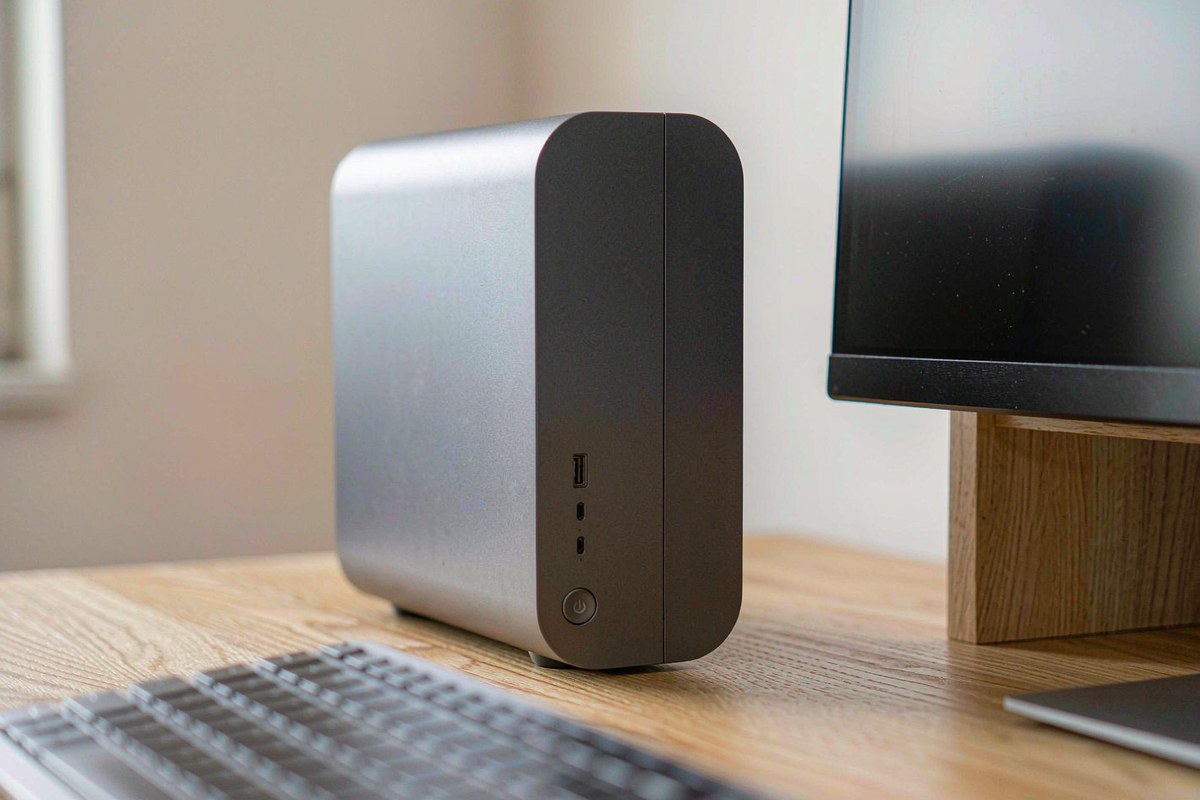
The ACEMAGIC Micro PC is aimed at buyers who need more than an entry-level mini PC but do not want a tower. Its Intel Core 5 220H has 12 cores and 16 threads, paired with 16GB of LPDDR5 and a 512GB NVMe SSD. We measured 9W at idle and 45W at full CPU package load. That is a useful combination for office work, coding, and sustained multitasking, but the compact chassis cannot make the fan disappear: noise rose from 39 dB(A) at idle to 48 dB(A) in a Cinebench loop. The biggest ownership caveat is permanent: its fast memory is soldered. At $569, this is a capable dual-display micro-workstation whose upgrade limits deserve as much attention as its processor.
Quick verdict
Score: 8.3/10 — Fast, compact workstation with fixed memory
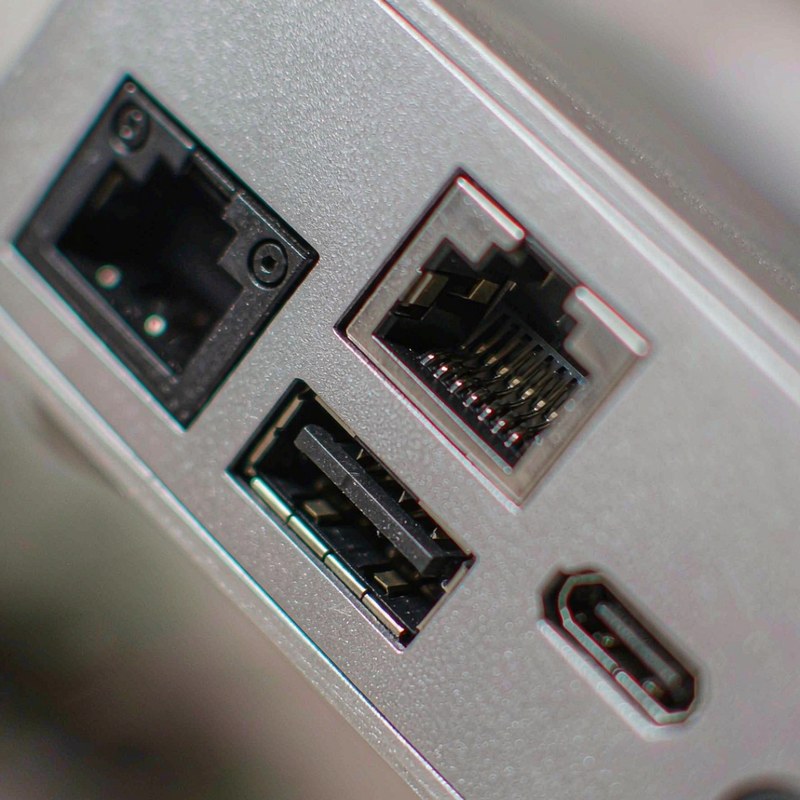
The Core 5 220H gives this small Windows 11 Pro desktop enough CPU capacity for busy office workloads, development tools, and everyday creation. Dual 4K@60Hz display support and two 2.5G LAN ports make it unusually practical for desks that need multiple screens or wired network flexibility. At $569.00, its specification and 4.4/5 Amazon rating from 101 ratings are credible, though that rating pool is modest.
We like the compute-to-size balance, but buyers cannot add RAM later, and the 512GB SSD is the only stated storage capacity. Under sustained work the fan is clearly audible at 48 dB(A). Choose it as a capable fixed-configuration desktop, not as a platform you expect to expand over several years.
Key specs
| Product | ACEMAGIC Micro PC |
| Processor | Intel Core 5 220H, 12 cores / 16 threads |
| Memory | 16GB LPDDR5, soldered and not upgradeable |
| Storage | 512GB NVMe SSD |
| Operating system | Windows 11 Pro |
| Displays | Dual 4K at 60Hz support |
| Networking | Dual 2.5G LAN ports |
| Price and rating | $569.00; 4.4/5 from 101 Amazon ratings |
What we like
- Strong multi-core headroom. The 12-core, 16-thread Core 5 220H is a better fit for concurrent work than the low-power processors common in entry-level mini PCs. It can keep office applications, browser tabs, and background jobs moving without requiring a larger desktop.
- Two 4K screens at 60Hz. Dual 4K@60Hz support gives users room for a primary work display and a second reference or communications panel. It is useful productivity capacity rather than a claim that this machine is designed for high-end gaming.
- Two 2.5G LAN ports. Dual multi-gigabit Ethernet is valuable for a small office workstation, lab system, or network appliance that needs separate wired links. It is a more flexible arrangement than the single port found on many compact desktops.
- Low measured idle draw. We measured 9W at idle. For a computer left on through a workday or used as an always-available workstation, that is a restrained baseline relative to its performance-oriented processor.
What we do not like
- The 16GB LPDDR5 is soldered. It cannot be upgraded, so workload growth cannot be solved with a memory purchase. Browser-heavy sessions, large project files, or virtual machines can make 16GB a hard ceiling, shortening the useful life for buyers whose needs increase.
- Load noise reaches 48 dB(A). The measured 39 dB(A) idle level is unobtrusive in most rooms, but the fan becomes prominent during a Cinebench loop. In a quiet office, recording space, or bedroom, sustained CPU work will be audible and may distract nearby users.
- 512GB leaves limited local storage margin. Windows, applications, caches, and work files all share the stated NVMe capacity. A media library or several large development environments can consume it quickly, and adding internal capacity depends on the chassis and slot configuration rather than facts confirmed here.
- Its performance comes with a 45W package ceiling. The full-load CPU package measurement reaches 45W, over five times the 9W idle reading. That is normal for a high-performance compact system, but it means heat and fan activity rise sharply under sustained workloads rather than remaining at idle behavior.
How it compares
The Glorlin AT103 is a lower-cost, lower-power alternative. Its Core 3 100U and 16GB DDR4 are designed for office work and light utility tasks; in our Glorlin AT103 review, we measured 7–9W idle and load noise of 38–41 dB(A). At $439.99, it saves about $129, but gives up the Core 5 220H’s higher core count and dual 2.5G LAN.
The GMKtec K12 costs substantially more, at $879.99, and takes a different approach with a Ryzen 7 H 255, 32GB of upgradeable DDR5, three M.2 slots, and Oculink. Our GMKtec K12 review found a clear expansion path for buyers who plan to add storage or an external GPU. The ACEMAGIC costs $310.99 less and provides dual 2.5G LAN, but its soldered 16GB memory is a meaningful compromise against that headroom.
| Mini PC | Price | Key spec | Who it suits |
|---|---|---|---|
| ACEMAGIC Micro PC | $569.00 | Core 5 220H; 16GB soldered LPDDR5; dual 2.5G LAN | Compact workstation users prioritizing CPU capacity and wired networking |
| Glorlin AT103 | $439.99 | Core 3 100U; 16GB DDR4; 512GB SSD | Office and light utility users prioritizing lower cost and idle draw |
| GMKtec K12 | $879.99 | Ryzen 7 H 255; 32GB DDR5; Oculink | Power users who need upgradeable memory, storage expansion, or eGPU options |
Hands-on: Core 5 performance, power and fan behavior
The Core 5 220H is the main reason to consider this ACEMAGIC over a basic mini PC. Its 12 cores and 16 threads are suited to workloads that overlap: a large browser session, office suite, communications tools, and background indexing or compilation. We would expect it to feel more responsive under that mixed activity than a low-wattage office chip, although the available measurements do not establish a benchmark score or guarantee performance in a specific application.
The power readings show the trade-off clearly. At idle, we measured 9W. During full CPU package load, the reading reached 45W. The jump is expected when the processor is doing sustained work, but this machine is not a 9W computer in every scenario. If it spends long stretches rendering, compiling, or running multi-threaded jobs, power and cooling behavior will look closer to the full-load figure than the idle number.
Fan noise follows the same pattern. At idle we measured 39 dB(A), which is quiet enough to fade into typical room noise at normal desk distance, though not literally silent in a treated room. In a Cinebench loop, noise climbed to 48 dB(A). The nine-decibel increase is readily noticeable because the fan moves from background presence to a distinct workload sound. We would place it on the desk or behind a display for regular office use, but not beside a microphone for prolonged rendering or encoding.
| Measurement | Observed value | Practical implication |
|---|---|---|
| Idle power | 9W | Low baseline for a desktop left available during the day |
| Full-load CPU package | 45W | Five times idle draw; expect active cooling under sustained work |
| Idle noise | 39 dB(A) | Generally subdued, but detectable in a quiet room |
| Cinebench loop noise | 48 dB(A) | Audible and potentially distracting at close range |
Memory is where the compact design creates a long-term constraint. LPDDR5 is fast, but this 16GB configuration is soldered and cannot be replaced with a larger kit. That is fine for a stable workload built around documents, web applications, and moderate multitasking. It is a poor match for users who already use memory-heavy creative tools or plan to host several virtual machines. The question is not only whether 16GB is enough today; it is whether the fixed capacity will still be enough after the next software upgrade or project change.
Display and network connectivity help make the box practical despite that limitation. Dual 4K@60Hz support suits a workstation layout with detailed content on one panel and chat, dashboards, or documentation on the other. Two 2.5G LAN ports allow separate wired connections where a single Ethernet jack would force an adapter or switch. For readers comparing compact systems and peripherals, our Ares Wing dual-monitor arm review covers one way to reclaim desk space for a two-screen setup. More tested hardware is grouped in our reviews category.
Who should buy it
Buy it if you need a compact Windows 11 Pro workstation for office applications, development, or sustained multitasking; want two 4K@60Hz displays and dual 2.5G wired networking; and know that 16GB will remain adequate for your workload. At $569.00, the 12-core, 16-thread processor is the attraction, while 9W idle consumption keeps light-duty operation reasonable.
Skip it if you need upgradeable RAM, routinely exceed 16GB, require a large internal media library, or expect near-silent operation under CPU load. The 48 dB(A) Cinebench-loop noise and soldered memory are not minor footnotes: they define the system’s acoustic and upgrade limits. Buyers who want an expandable mini PC should compare the GMKtec K12, while simpler office users can save money with a lower-power option such as the Glorlin AT103.
FAQ
Can the ACEMAGIC Micro PC’s 16GB RAM be upgraded?
No. The 16GB LPDDR5 is soldered and not upgradeable, so capacity is fixed for the life of the system. Check your peak memory use before buying, especially if you run virtual machines, large creative projects, or many heavy applications together.
Can the ACEMAGIC Micro PC run two 4K monitors at 60Hz?
Yes, dual 4K@60Hz display support is specified for this model. That makes it suitable for a two-screen productivity setup, but it should not be read as evidence of high-end gaming performance.
How loud is the ACEMAGIC Core 5 220H mini PC under load?
We measured 39 dB(A) at idle and 48 dB(A) during a Cinebench loop. The fan is subdued at idle but clearly audible during sustained multi-core work, so users sensitive to noise should keep it away from microphones and very quiet rooms.
Does the ACEMAGIC Micro PC have dual 2.5G Ethernet?
Yes, it has two 2.5G LAN ports. That is useful for a wired workstation or network setup that needs more than one multi-gigabit connection without relying on an external adapter.
Where to buy
Update log
October 19, 2026 — Initial publication based on the listed configuration, price, rating, and supplied power and noise measurements.

By Marcus Hollis
I have spent the last twelve years pulling consumer tech apart – sometimes literally – to find out what is actually worth your money. Before starting Freakin Review, I ran product QA and return-rate analysis for a Dallas-based electronics retailer, where thousands of returned devices a month taught me one lesson: spec sheets lie more often than reviewers do. I lead our testing bench in Austin, where every power bank, pair of earbuds, and computer peripheral goes through a standardized 10-point routine – real measurements, weeks of daily use, and no free sample we are afraid to criticize. When a product fails, I say so, even when the affiliate link pays less.