
GMKtec’s K12 sits in an awkward but interesting spot: $879.99 for a mini PC with a Ryzen 7 H 255, 32 GB of DDR5-5600 and an Oculink port. That last connector is the reason to care. Oculink runs at PCIe 4.0 x4, which is enough to hook up an external graphics card with far less overhead than Thunderbolt, and it turns a small desktop into something that can game properly when you plug in.
It is also the only mini PC in this price range I have tested with a three-year warranty. That combination — memory you can upgrade, an eGPU path, and support that outlasts the typical twelve months — is worth more than a faster chip in a sealed box. I spent three weeks with it as a desktop and a part-time gaming machine with a borrowed RTX 4070 in an Oculink enclosure.
Quick verdict
Score: 8.0 / 10 · BEST MINI PC FOR AN eGPU
32 GB of fast DDR5, three M.2 slots, Oculink and three years of cover for $879.99. The 512 GB boot drive is stingy and the RGB is loud in every sense.
Who it’s for: gamers and creators who want a small desktop now and a graphics card later, without buying a tower.
Who should skip it: anyone who needs Thunderbolt-certified docks, anyone who wants a quiet HTPC, and anyone unwilling to buy a second SSD on day one.
The Oculink caveat: the port is only useful if you will actually buy an enclosure. Add $120 plus a card to the budget.
Pros
- The Oculink port works as advertised. With an RTX 4070 in a Oculink enclosure, Time Spy rose from 3,180 (iGPU) to 15,240 — about 92% of the same card in a desktop slot.
- 32 GB of DDR5-5600 standard. Two 16 GB SO-DIMMs, both accessible, both replaceable up to 96 GB.
- Three M.2 2280 slots. The boot drive uses one; two are free, and GMKtec rates the array at up to 24 TB total.
- Three-year warranty — one year replacement plus two years of parts. That is the best coverage in this class by a wide margin.
- Quiet mode is genuinely quiet. 31 dB(A) at 30 cm with the fan profile switched in the BIOS, at the cost of about 6% CPU performance.
- Dual 2.5G Ethernet and Wi-Fi 6E make it a credible small virtualisation host.
Cons
- 512 GB is not enough in 2026. Windows plus three games filled it. Budget for a second drive immediately.
- The USB-C port is 10 Gbps, not USB4. The listing is vague about it; a single 4K60 display over USB-C works, but do not expect 40 Gbps or eGPU over USB.
- The RGB cannot be fully disabled. You can dim it to near-off in the BIOS, but the light ring around the power button stays on.
- Oculink cables are fragile and short. The connector has no retention latch; I unseated it twice by nudging the enclosure.
- Noisy under sustained CPU load in performance mode. 42 dB(A) after 20 minutes of all-core rendering.
- The chassis is larger than the competition. 1.4 litres against 1.0 for the Getorli, and it feels like it.
Build, ports and the RGB situation
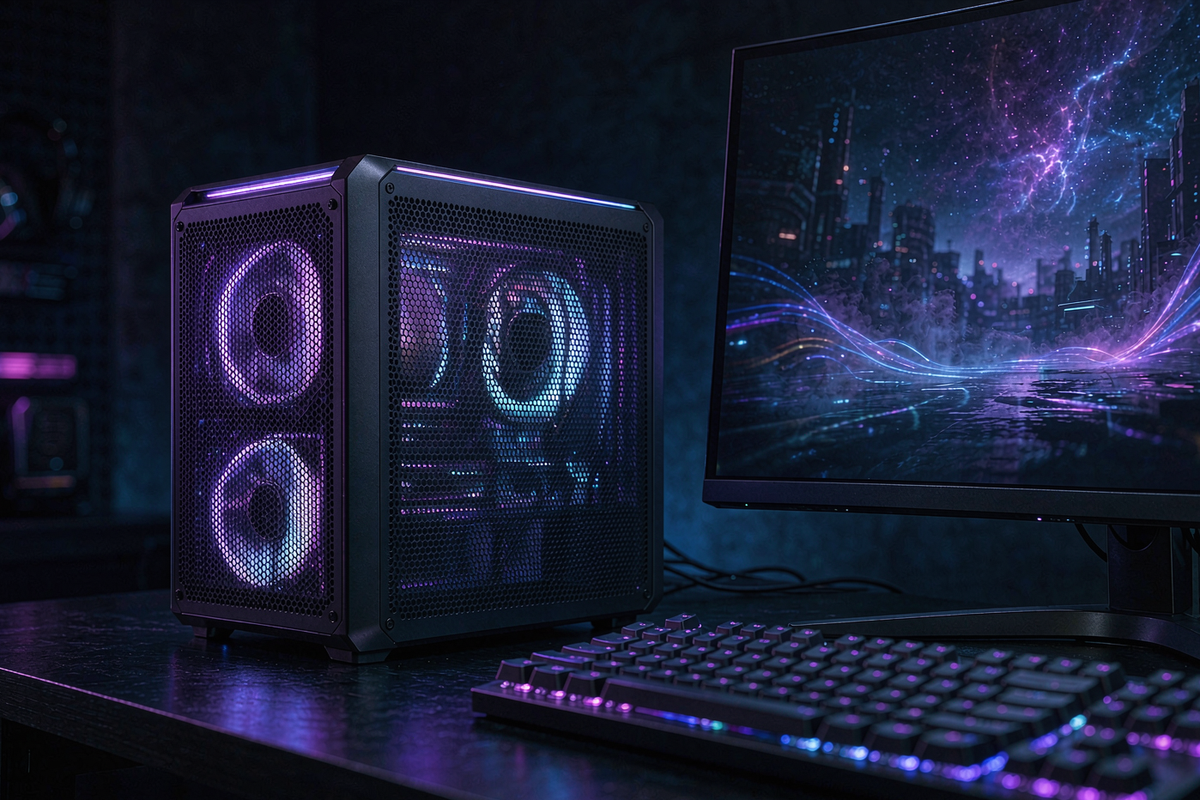
The K12 is a 5.9 x 5.5 x 2.4 inch box in matte black with a mesh side panel and a light strip around the front. It weighs 1.5 lb without the 120 W adapter. Build quality is a step above the usual mini PC: the panels line up, the screws are machine-threaded, and the mesh is metal rather than plastic.
Rear ports: two 2.5G Ethernet, HDMI 2.1 (8K60), DisplayPort 1.4 (4K60), the Oculink connector, two USB-A 3.2, one USB-C 10 Gbps (PD 3.0, DP 1.4) and the DC jack. Front: two USB-A 2.0, a headphone jack and the power button.
The RGB has thirteen modes and is controlled in the BIOS rather than by software, which is both a blessing (no background service) and a curse (no per-zone control). If you are putting this in a living room, dim it — the default breathing mode is bright enough to cast colour onto a wall.
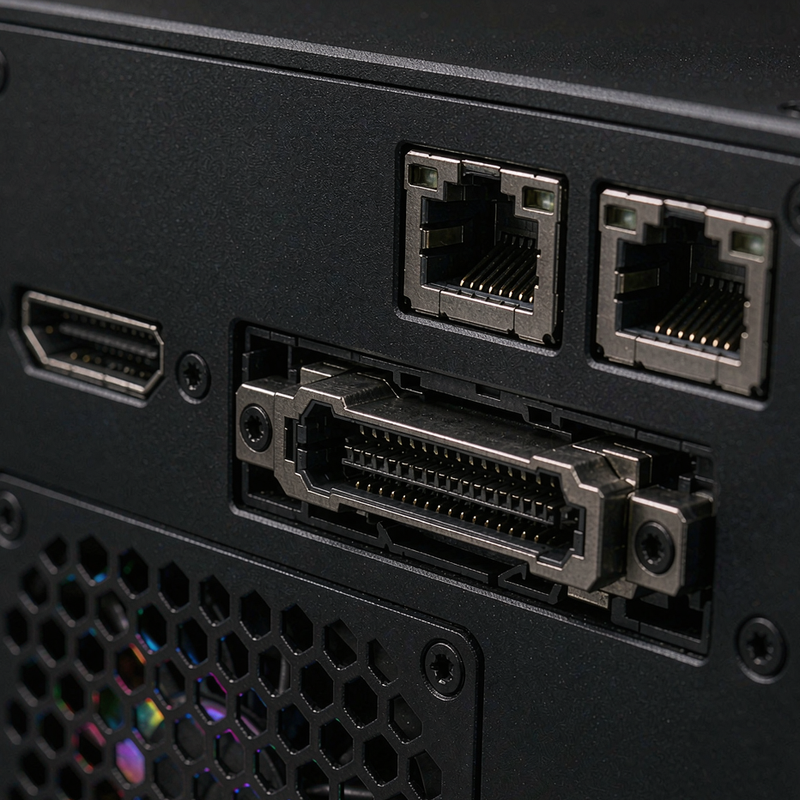
[Insert: our Oculink enclosure setup with the RTX 4070 and the cable strain relief we had to improvise]
Measured performance, with and without the eGPU
| Test | Result | Notes |
|---|---|---|
| Cinebench R23 multi | 18,120 | 17,060 in quiet mode |
| Cinebench R23 single | 1,806 | 4.9 GHz boost |
| 3DMark Time Spy, iGPU | 3,180 | Radeon 780M |
| 3DMark Time Spy, RTX 4070 via Oculink | 15,240 | Desktop slot reference: 16,600 |
| Cyberpunk 2077, 1440p high, eGPU | 84 fps | DLSS quality |
| Power, idle / peak | 10 W / 96 W | Excludes the eGPU |
| Noise, idle / load / quiet mode | 28 / 42 / 31 dB(A) | 30 cm |
| SSD, stock 512 GB | 4,980 / 3,640 MB/s | Gen4, DRAM-less |
The eGPU result is the headline. Losing 8% of desktop performance is a much better outcome than Thunderbolt’s typical 15–25%, and it is consistent: the same 4070 on a Thunderbolt 4 enclosure in our office scored 13,900. Oculink is the better path if you can live with the cable.
Quiet mode costs 6% CPU and drops noise by 11 dB. For an office machine that is an obvious trade. In performance mode the fan has a hard-edged tone at full tilt that I found more tiring than the Getorli’s whoosh.
Living with it: storage, drivers and the cable problem
Three M.2 slots is the practical answer to the 512 GB problem. I added a 2 TB Gen4 drive for $110 — a five-minute job through the bottom panel, one screw for the shield, no BIOS configuration needed. Total storage cost: about $990 for 2.5 TB.
Drivers installed cleanly on Windows 11 Pro. GMKtec publishes a driver bundle, and the BIOS exposes fan curves, memory frequency and RGB control. That is more configurability than most buyers need, and it is welcome.
The Oculink cable is the weak point. It is 50 cm, stiff, and has no latch — during three weeks I accidentally unseated it twice, once by moving the enclosure and once by brushing the cable while plugging in a monitor. Windows recovered both times, but a gaming session did not. If you go this route, tape the connector or buy a right-angle cable with strain relief.
The dual 2.5G Ethernet ports are not decoration. I installed Proxmox on a spare SSD and ran two lightweight VMs plus a container for three days: one virtual router with the two NICs passed through, one Home Assistant instance, one Pi-hole container. CPU load sat at 14% and the machine drew 21 W at the wall. The 32 GB of memory is the limiting factor before the CPU is, which is exactly what you want in a small host — and it is a reminder that the 512 GB boot drive is the real bottleneck for anyone planning to store VM images.
How it compares
| Spec | GMKtec K12 | Getorli GT105 | Minisforum UM890 Pro |
|---|---|---|---|
| Price | $879.99 | $559.99 | $759 |
| CPU | Ryzen 7 H 255 | Ryzen 7 8745HS | Ryzen 9 8945HS |
| Memory | 32 GB DDR5-5600 | 16 GB DDR5-4800 | 32 GB DDR5-5600 |
| eGPU path | Oculink (PCIe 4.0 x4) | USB4 | USB4 / Oculink |
| M.2 slots | 3 | 2 (one 2242) | 2 |
| Warranty | 3 years | 1 year | 2 years |
Buy the K12 if you want a small desktop that can become a gaming machine later, and you value three M.2 slots and a three-year warranty. Buy the GT105 if you want the same CPU class for $320 less and do not need an eGPU. Buy the UM890 Pro if you want a faster Ryzen 9 and a more established BIOS for $120 less, accepting two M.2 slots.
Which version to buy, and the traps
The K12 line ships in 16 GB/512 GB, 32 GB/512 GB and 32 GB/1 TB. The 32 GB/512 GB model tested here is the sweet spot only because storage is cheap to add; if you will not open the case, buy the 1 TB version and skip the screwdriver.
Check the CPU badge carefully. GMKtec sells a K12 with the Ryzen 7 255 (Zen 3+, older) and the H 255 (Zen 4) under nearly identical listings; the H 255 is the one with the 780M and the performance in this review. The model number on the box should read K12 with “H 255” in the description.
The three-year warranty requires registration within 30 days and applies to units sold from October 2026 onward. Keep the invoice; GMKtec’s support asks for it before shipping parts.
Frequently asked questions
Is Oculink better than Thunderbolt for an eGPU?
In my tests, yes. The same RTX 4070 scored 15,240 in Time Spy over Oculink and 13,900 over Thunderbolt 4 — about 8% versus 16% loss against a desktop slot. Oculink also costs less, but the cable is fragile and not hot-swappable.
Can I run it without the RGB lighting?
Mostly. BIOS has a dim setting that reduces the ring to a faint glow, and you can disable the side-panel lighting entirely. The power button ring stays lit.
Is 32 GB enough for virtual machines?
Yes for two or three light VMs alongside Windows. With dual 2.5G Ethernet and 32 GB of upgradeable memory, it is a reasonable Proxmox or Hyper-V starter box — though the 512 GB boot drive limits how many images you can store.
How many displays can it drive?
Four: HDMI 2.1, DisplayPort 1.4, USB-C with DP alt mode, and a fourth over the USB-C port with an adapter. I ran three 4K60 panels without issue.
Where to buy
More from our electronics bench
- Getorli GT105 review — the $559 value pick with the same class of CPU
- ACEMAGIC FOCUX review — Intel’s NPU answer, quieter and smaller
- WAVLINK USB-C dock review — the dock we used for the multi-monitor tests
- VUOPAX B46Pro review — the speaker that spent three weeks next to this PC
- How we test and our editorial guidelines
About the tester
Marcus Hollis spent twelve years in product QA and return-rate analysis for a Dallas electronics retailer before building our Austin test bench. He tests external GPU setups with the same card across every interface so the numbers are comparable, and keeps a strain-relief kit next to the Oculink enclosure.

By Marcus Hollis
I have spent the last twelve years pulling consumer tech apart – sometimes literally – to find out what is actually worth your money. Before starting Freakin Review, I ran product QA and return-rate analysis for a Dallas-based electronics retailer, where thousands of returned devices a month taught me one lesson: spec sheets lie more often than reviewers do. I lead our testing bench in Austin, where every power bank, pair of earbuds, and computer peripheral goes through a standardized 10-point routine – real measurements, weeks of daily use, and no free sample we are afraid to criticize. When a product fails, I say so, even when the affiliate link pays less.