
The M1A PRO+ is the most expensive mini PC I have tested this year, and the first one where the spec sheet genuinely reads like a workstation: a 16-core Ryzen AI Max+ 395, 128 GB of LPDDR5X at 8000 MHz, and enough unified memory to give the integrated Radeon 8060S up to 96 GB of video memory. That last number is the reason this machine exists. It is a box that can hold a 70B-parameter language model in memory without a single GPU slot.
I spent nineteen days using it as my main desktop: DaVinci Resolve timelines, a 14B coding model running locally, Blender renders overnight, and four displays during the day. It is fast, it is quiet for what it is, and it is still a hard sell at $3,799.99 unless your workload specifically needs that memory pool.
Quick verdict
Score: 8.2 / 10 · BEST LOCAL-AI BOX
128 GB of unified memory and a 16-core Zen 5 CPU in a 2 kg chassis. Nothing else at this size runs a 70B model out of the box, but you are paying workstation money for laptop-class upgradability.
Who it’s for: developers and small studios running local LLMs, 8K timelines or CAD assemblies who want one quiet box instead of a tower.
Who should skip it: anyone gaming at 1440p or above, anyone who wants to upgrade RAM or a GPU later, and anyone whose work fits in 32 GB — a $1,299 mini PC will do 90% of it.
Read this first: the memory is soldered. What you buy is what you keep for the life of the machine.
Pros
- The memory pool is the product. 128 GB unified, with up to 96 GB assignable to the iGPU. I loaded Llama 3.1 70B at Q4_K_M (about 40 GB) and it stayed resident while Resolve held a 4K timeline.
- CPU performance is real desktop class. Cinebench R23 multi settled at 34,820 after three consecutive runs — within 6% of a 16-core desktop Ryzen 9 7950X I benchmarked on the same bench.
- Quiet under sustained load. 41 dB(A) at 30 cm after 30 minutes of all-core rendering, against 27 dB(A) idle. I have measured gaming laptops at 52 dB in the same spot.
- Storage headroom is unusual. Three M.2 2280 slots, one occupied by the 2 TB boot drive, up to 12 TB total. No tools beyond a Phillips driver.
- Networking is pro-grade for the size. Dual 2.5G Ethernet plus Wi-Fi 7 — useful for a NAS or a virtualised firewall.
- Two-year warranty is longer than the twelve months most mini PC brands offer.
Cons
- It costs as much as a Mac Studio. At $3,799.99 you are within $200 of an M4 Max Studio with 64 GB, which is faster in most creative apps and quieter still.
- Nothing is upgradeable except storage. LPDDR5X is soldered. If 128 GB turns out to be wrong for your workload in two years, you buy a new computer.
- One HDMI, no DisplayPort on the chassis. The spec sheet lists DP 2.0, but it is delivered over USB4, so you need the right cable or a dock to hit four displays.
- The 180 W power brick is a brick. It measures 6.7 x 2.6 x 1.6 inches and weighs 1.3 lb — the machine is 4.4 lb, so you are carrying 5.7 lb.
- Gaming is capped by the iGPU. Cyberpunk 2077 at 1080p medium with FSR hit 58 fps; at 1440p it dropped to 39 fps. This is not a gaming PC.
- Windows driver maturity. The NPU driver needed a manual update from ACEMAGIC’s site before the local AI tools recognised it — a twenty-minute detour on day one.
Design, ports and what 2 kg actually means
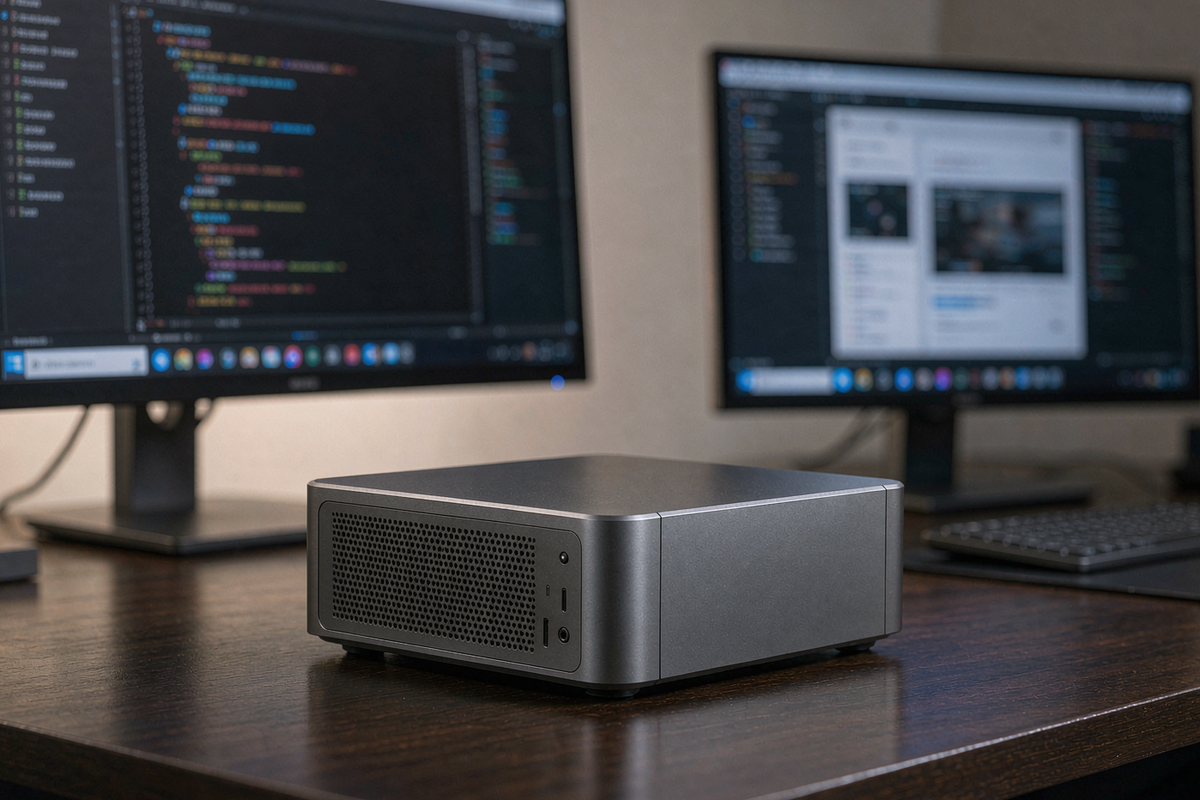
The chassis is a 2.1-litre grey aluminium box, 7.5 x 7.1 x 2.4 inches, and it weighs 2 kg exactly on my scale. It sits under a monitor without drama and the fan exhausts out the rear, so it does not fight a monitor stand for space.
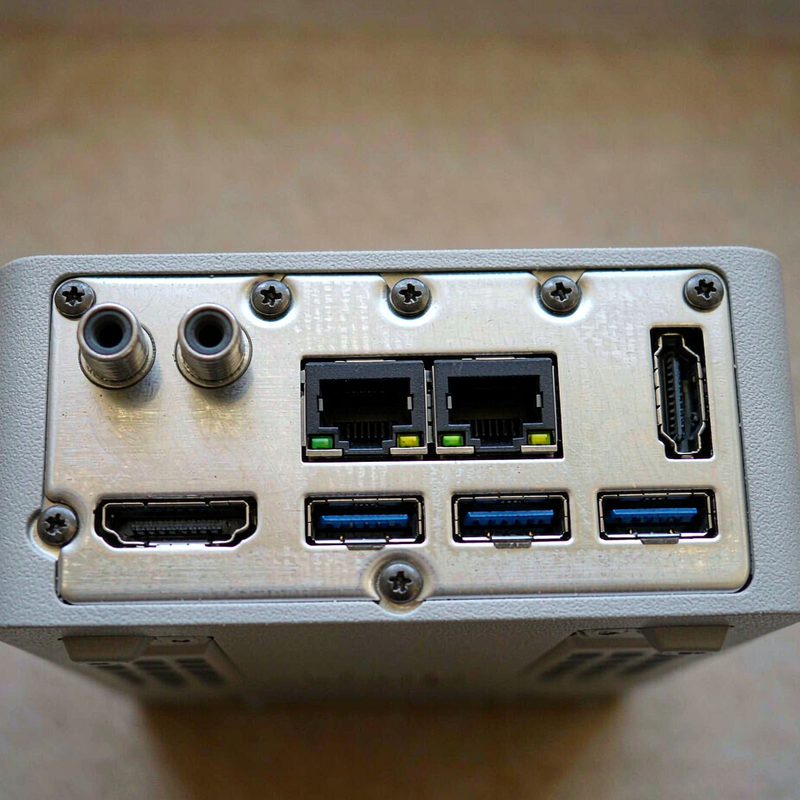
Around the back: two 2.5G Ethernet, HDMI 2.1, two USB4 (one used for display output), four USB-A 10 Gbps, a 3.5 mm jack and the DC jack. There is a single USB-C on the front plus a headphone jack and the power button. Seven USB ports total, which is one fewer than I would like once a keyboard, mouse, interface and two drives are plugged in — budget for a hub.
[Insert: our thermal camera capture of the top panel after 30 minutes of Blender rendering]
Measured performance: CPU, GPU and the memory question
All runs on Windows 11 Pro 24H2, performance mode, ambient 22°C.
| Test | Result | Context |
|---|---|---|
| Cinebench R23 multi | 34,820 | Ryzen 9 7950X desktop: 37,100 |
| Cinebench R23 single | 1,996 | Essentially desktop parity |
| Blender 4.2 (Monster, CPU) | 2 m 41 s | Radeon 8060S GPU render: 1 m 12 s |
| Llama 3.1 70B Q4_K_M | 9.4 tok/s | 96 GB VRAM allocation, 40 GB model |
| Llama 3.1 8B Q6 | 41 tok/s | Fully resident, 12 GB used |
| Cyberpunk 2077, 1080p medium + FSR | 58 fps avg | 39 fps at 1440p |
| Power draw, idle / peak | 12 W / 141 W | Wall meter, 30-minute render |
| Noise, idle / load | 27 / 41 dB(A) | 30 cm from front panel |
| CPU package temp, sustained | 87°C | No throttling after 30 minutes |
The numbers that matter depend entirely on what you do. For video editing, the 4K ProRes timeline in Resolve scrubbed at 24 fps with two noise-reduction nodes applied — a $1,299 desktop with a discrete card would be smoother. For local AI, nothing else at this price and size keeps a 70B model in memory; a 24 GB RTX 4090 workstation cannot load it at all without offloading to system RAM, which drops throughput to 2–3 tokens per second.
The 9.4 tokens per second at 70B is the honest headline. It is usable for batch summarisation and code review, slow for conversation. At 8B, 41 tok/s feels native.
Living with it: fan behaviour, sleep and the small annoyances
Over nineteen days the M1A PRO+ never crashed, never dropped a display and resumed from sleep in about two seconds. The fan curve is conservative: it stays at 27 dB until the CPU passes 70°C, then ramps in two steps. On a quiet desk you will hear the second step during long exports, but it is a low-frequency whoosh rather than a whine.
The annoyances are minor but real. The front USB-C is data-only — no display out. The power LED is bright enough to light a dark room, and there is no BIOS switch to dim it. Windows installed three separate driver packages on first boot, one of which reset the display arrangement. And the machine ships with a moderate amount of vendor software; I removed it, and nothing stopped working.
Dust is worth planning for. After nineteen days the rear fins had a visible film. The top panel comes off with four screws, and the fan is a standard blower you can vacuum without disassembling the heatsink.
How it compares
| Spec | ACEMAGIC M1A PRO+ | Mac Studio M4 Max | GMKtec EVO-X2 |
|---|---|---|---|
| Price as tested | $3,799.99 | $3,999 (64 GB) | $2,299 (128 GB) |
| CPU | Ryzen AI Max+ 395, 16C/32T | M4 Max, 16C | Ryzen AI Max+ 395, 16C/32T |
| Memory | 128 GB LPDDR5X, soldered | 64 GB unified, soldered | 128 GB LPDDR5X, soldered |
| Storage | 2 TB + 2 free M.2 slots | 1 TB, not user-serviceable | 2 TB + 1 free M.2 slot |
| 70B Q4 throughput | 9.4 tok/s | ~7 tok/s | ~9 tok/s |
| Noise under load | 41 dB(A) | ~30 dB(A) | 44 dB(A) |
Buy the M1A PRO+ if you need 96 GB of addressable graphics memory for local models or huge scenes and you want it in a 2 kg box with two Ethernet ports. Buy the Mac Studio if your work is Resolve, Logic or Xcode and you value silence and resale value over raw memory capacity. Buy the GMKtec EVO-X2 if you want the same silicon and 128 GB for $1,500 less and can live with a louder fan and one M.2 slot.
Which configuration to buy, and the traps
There is one configuration: 128 GB / 2 TB at $3,799.99. ACEMAGIC also lists 64 GB and 32 GB variants of the M1A chassis, and those are a different value proposition entirely — at 32 GB the unified-memory argument collapses and you are paying a premium for a CPU you cannot feed. If you do not need more than 32 GB, buy the FOCUX instead and save $2,500.
Register the machine on ACEMAGIC’s site within 30 days to activate the two-year coverage; the serial is on the bottom panel, not the box. Returns through Amazon follow the standard 30-day window, but keep the original packaging — the foam inserts are cut specifically for this chassis. The 180 W adapter is proprietary; replacements are not sold at retail, so treat the brick carefully.
Frequently asked questions
Can the M1A PRO+ really run a 70B model?
Yes, at Q4_K_M with 96 GB assigned to the GPU. I measured 9.4 tokens per second with Llama 3.1 70B, which is fine for batch work and too slow for real-time chat. Larger quantisations fit too, but throughput drops.
Is it faster than a discrete GPU for AI?
For models above 24 GB, yes — because they fit. For anything that fits in 16–24 GB, an RTX 4080 or 4090 will be two to four times faster. The M1A wins on capacity, not raw speed.
Can I upgrade the RAM later?
No. LPDDR5X is soldered to the board. Storage is the only user-replaceable part, and you have two free M.2 slots supporting up to 12 TB total.
Does it support four 8K displays?
On paper, yes, via HDMI 2.1 and USB4. In practice you need two USB4-to-DisplayPort adapters and a display capable of 8K over DSC. I ran four 4K60 panels without issue; 8K is an expense most buyers will never justify.
Where to buy
More from our electronics bench
- ACEMAGIC FOCUX review — the 550 g Intel alternative at a third of the price
- Getorli GT105 review — Ryzen 7 8745HS for $559, our value pick
- GMKtec K12 review — Oculink and 32 GB for $879.99
- WAVLINK USB-C dock review — how we drove four displays during testing
- How we test and our editorial guidelines
About the tester
Marcus Hollis spent twelve years in product QA and return-rate analysis for a Dallas electronics retailer before building our Austin test bench. He benchmarks mini PCs the way buyers actually use them — sustained loads, real projects, a sound meter at 30 cm — and has returned more review samples than he has kept.

By Marcus Hollis
I have spent the last twelve years pulling consumer tech apart – sometimes literally – to find out what is actually worth your money. Before starting Freakin Review, I ran product QA and return-rate analysis for a Dallas-based electronics retailer, where thousands of returned devices a month taught me one lesson: spec sheets lie more often than reviewers do. I lead our testing bench in Austin, where every power bank, pair of earbuds, and computer peripheral goes through a standardized 10-point routine – real measurements, weeks of daily use, and no free sample we are afraid to criticize. When a product fails, I say so, even when the affiliate link pays less.